The Old Way vs. Eligant
From Quote to Booked Job in 3 Steps
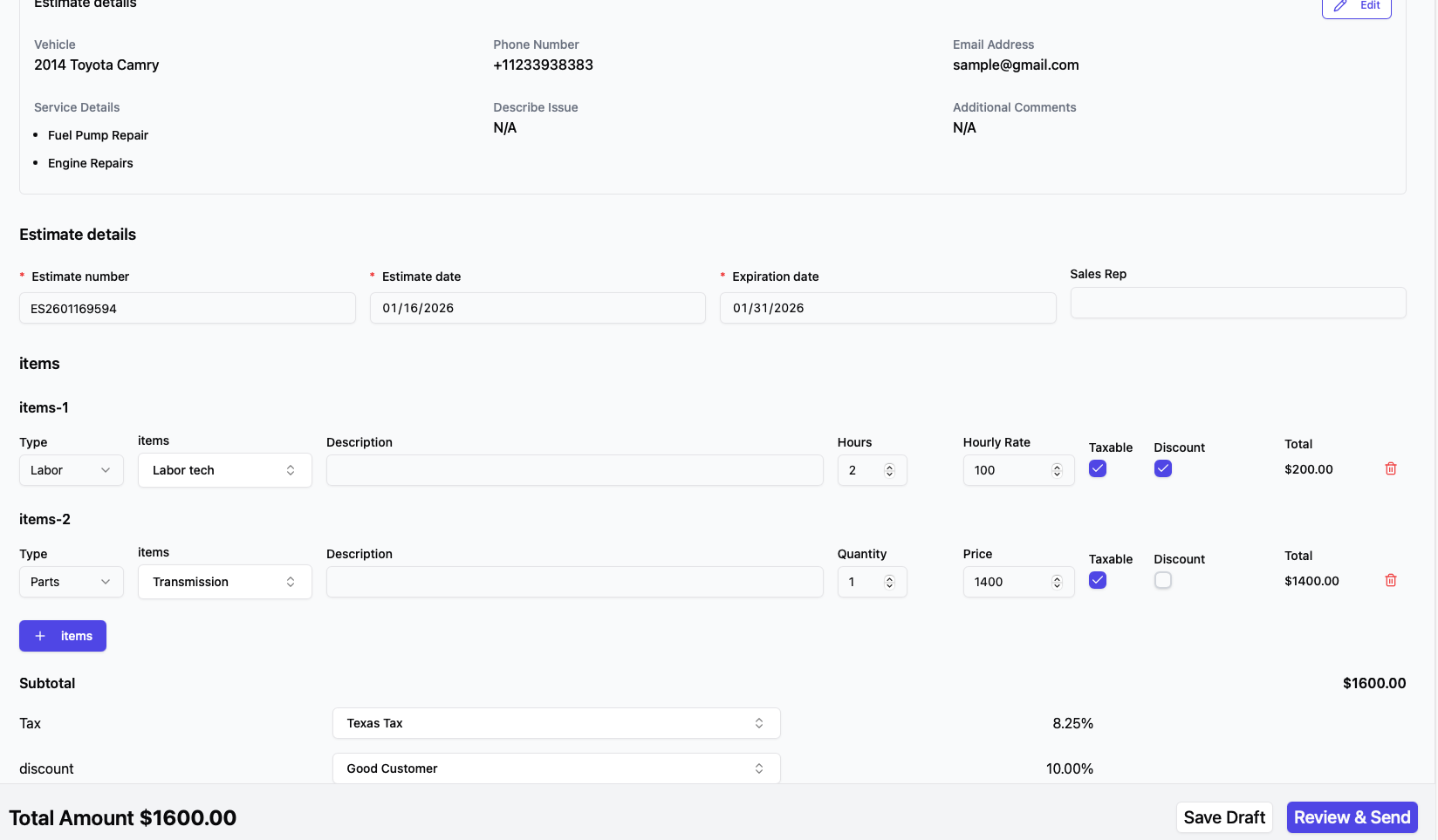
Create
Pick services from your menu or add custom line items. Takes under 60 seconds.
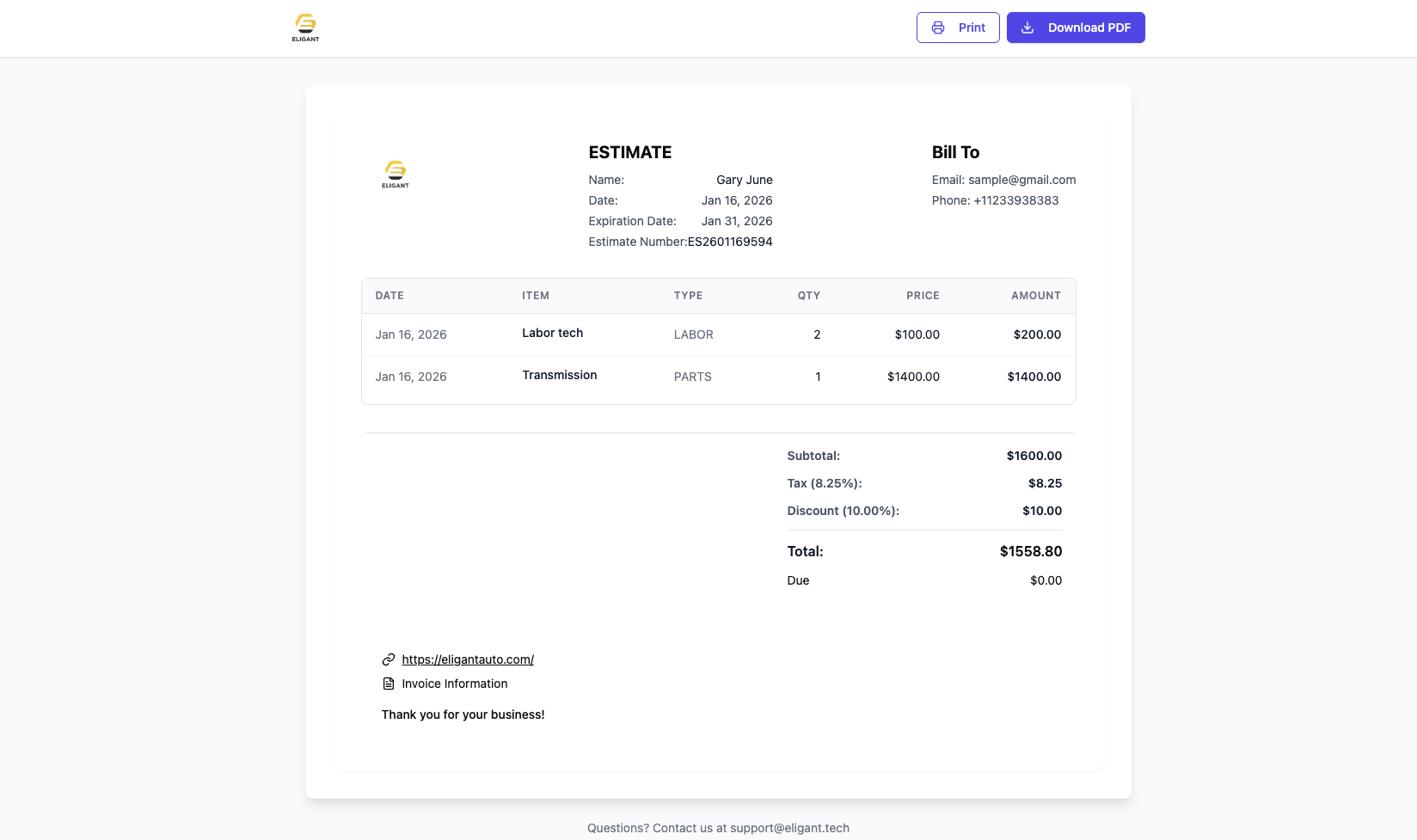
Send
Customer gets an instant text and email with the estimate details and a link to book an appointment.
Customer Responds & Books
They approve, decline, or comment with questions right on the estimate. Once approved, they pick a time and it flows into your calendar.
What Your Customer Sees
A clean, professional estimate on their phone. No app to download. No account to create.
Estimate Arrives
Customer gets a text and email with a link. Opens in their browser instantly — no app, no login.
Review & Ask Questions
They see every line item and total. Have a question or want to negotiate? They comment right on the estimate — you get notified and reply in the same thread.
Approve or Decline
One tap to approve. If they decline, they can tell you why — so you know whether it was price, timing, or they went elsewhere.
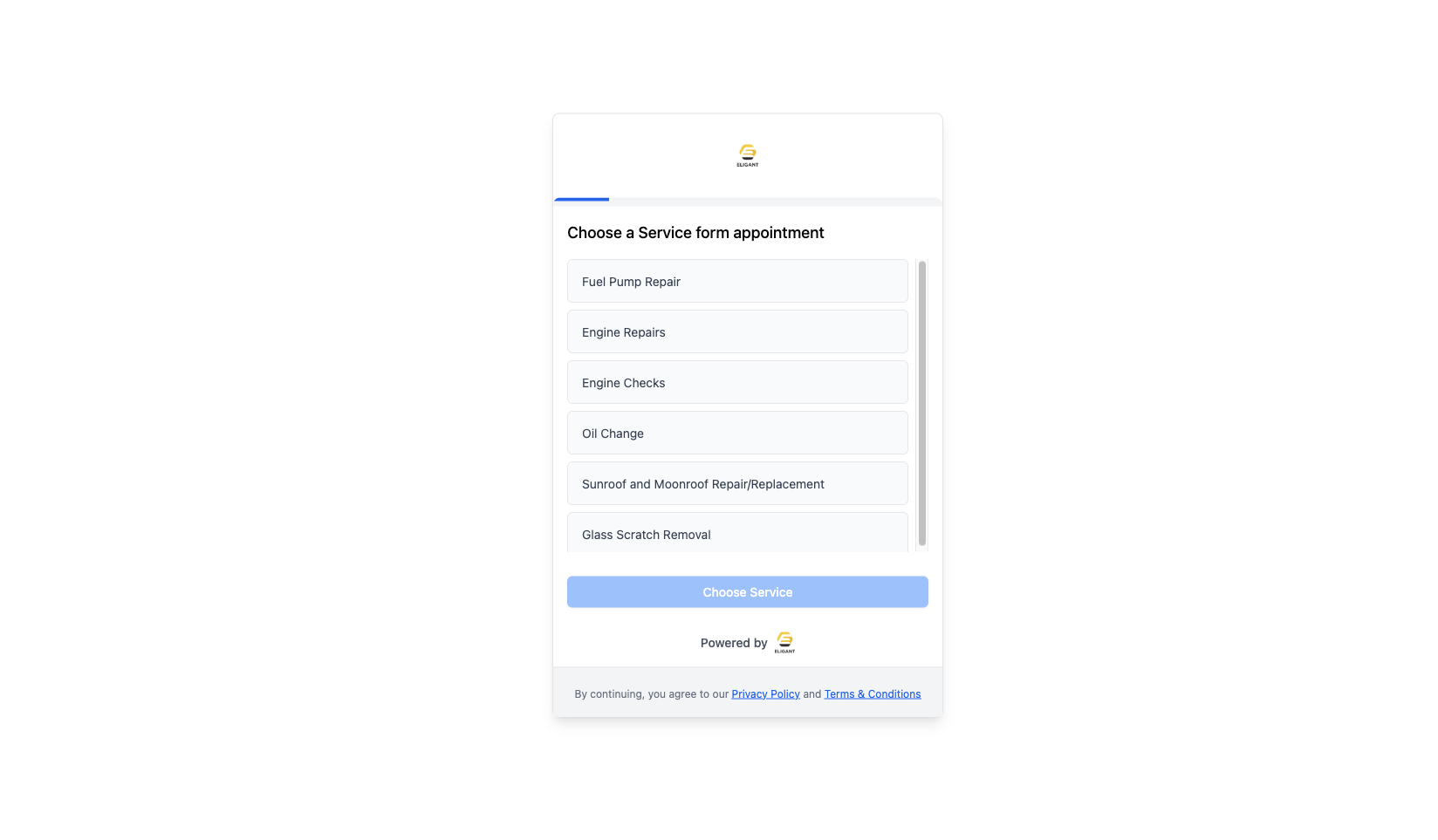
Book the Appointment
Right after approving, they're asked to pick a date and time. It lands on your calendar, linked to the estimate.
Works in English & Spanish
Estimates are sent in the language your customer prefers. Serve your entire customer base without extra work.
Everything You Need to Close More Jobs
Eligant estimates aren't just documents — they're a workflow that turns quotes into booked appointments.
Service Menu Templates
Pre-build service items with your pricing. Select from a menu instead of typing everything from scratch.
Two-Way Comments
Customers ask questions or push back on price right on the estimate. You reply, revise, and resend — the whole conversation stays attached to the job.
Instant Response Alerts
The moment a customer approves, declines, or comments, you get a notification on your phone and in your dashboard. No more wondering.
Approve & Book in One Flow
After approving, the customer is prompted to pick an appointment time. It flows straight to your calendar, tied back to the estimate.
Decline Reasons
When a customer says no, they can tell you why. Price, timing, went elsewhere — real data on why you lose jobs.
Estimate → Invoice Conversion
Approved estimate becomes an invoice in one click. No re-entering services, prices, or customer info.
SMS + Email Delivery
Pro and Expert send by both text and email. Starter sends by email. Same link either way.